Create professional-looking Flash intros and full websites quickly using customizable templates and simple editing tools
Create professional-looking Flash intros and full websites quickly using customizable templates and simple editing tools
Vote (5 votes)
Program license Trial version
Developer Websmartz
Version 2.1
Works under Windows
Vote
(5 votes)
Developer
Websmartz
Works under
Windows
Program license
Trial version
Version
2.1
Pros
- Extensive selection of professionally-designed templates
- User-friendly interface that requires no prior animation experience
- Quick creation process for intros and full websites
- Efficient export and good output quality
Cons
- Limited creative flexibility for advanced users
- Primarily supports Flash, which has declining web compatibility
- Customization options restricted by template structure
Create Flash intros and websites easily with customizable templates.
Overview of WebSmartz
WebSmartz is designed to simplify the creation of Flash intros and websites, particularly for users who lack experience in Flash animation or advanced web development skills. By offering a template-driven approach, the software makes building animated content accessible to a wide audience, especially beginners seeking to enhance the look of their online presence.
User Interface and Experience
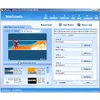
The software offers a straightforward and user-friendly interface optimized for novices. Features such as drag-and-drop functionality, clear menus, and step-by-step guides provide an uncomplicated workflow. The layout is intuitive, with toolbar panels for quick access to templates, editing options, and previewing designs. Instructions and previews are easily accessed, allowing for a comfortable designing environment without the intimidation of complex animation software.
Template Library and Customization
WebSmartz comes equipped with a sizable collection of templates spanning several categories, from business to creative portfolios. Users select a template that fits their purpose and customize it by adjusting background colors, fonts, images, and text fields. While the reliance on templates means some creative boundaries, the variety and depth of options allow for a professional finish without advanced skills.
Customizability extends to adding music, changing animation timing, and inserting basic interactive elements. These features, managed via simple forms and drop-down selections, give users ample tools to personalize their projects.
Performance and Output Quality
Rendering and exporting are efficient, delivering smooth Flash files that can be embedded onto websites or shared via other channels. The output quality is professional, suitable for presentations, small business sites, and personal pages. The software automates the technical aspects of Flash, ensuring compatibility and consistent playback across major browsers supporting Flash content.
Limitations
While WebSmartz is ideal for quick, visually impressive results, its reliance on templates and absence of advanced design tools may be limiting for experienced users seeking more granular control. The export options focus on Flash (SWF) format, which may present issues given decreasing browser support for Flash technology. Users seeking modern web standards may need to consider HTML5-based alternatives.
Suitability
WebSmartz caters mainly to beginners, small business owners, and individuals seeking to upgrade their website’s appearance without extensive design investment. The program’s ease of use, rich template library, and effective output provide value, as long as users are comfortable with working in Flash.
Pros
- Extensive selection of professionally-designed templates
- User-friendly interface that requires no prior animation experience
- Quick creation process for intros and full websites
- Efficient export and good output quality
Cons
- Limited creative flexibility for advanced users
- Primarily supports Flash, which has declining web compatibility
- Customization options restricted by template structure